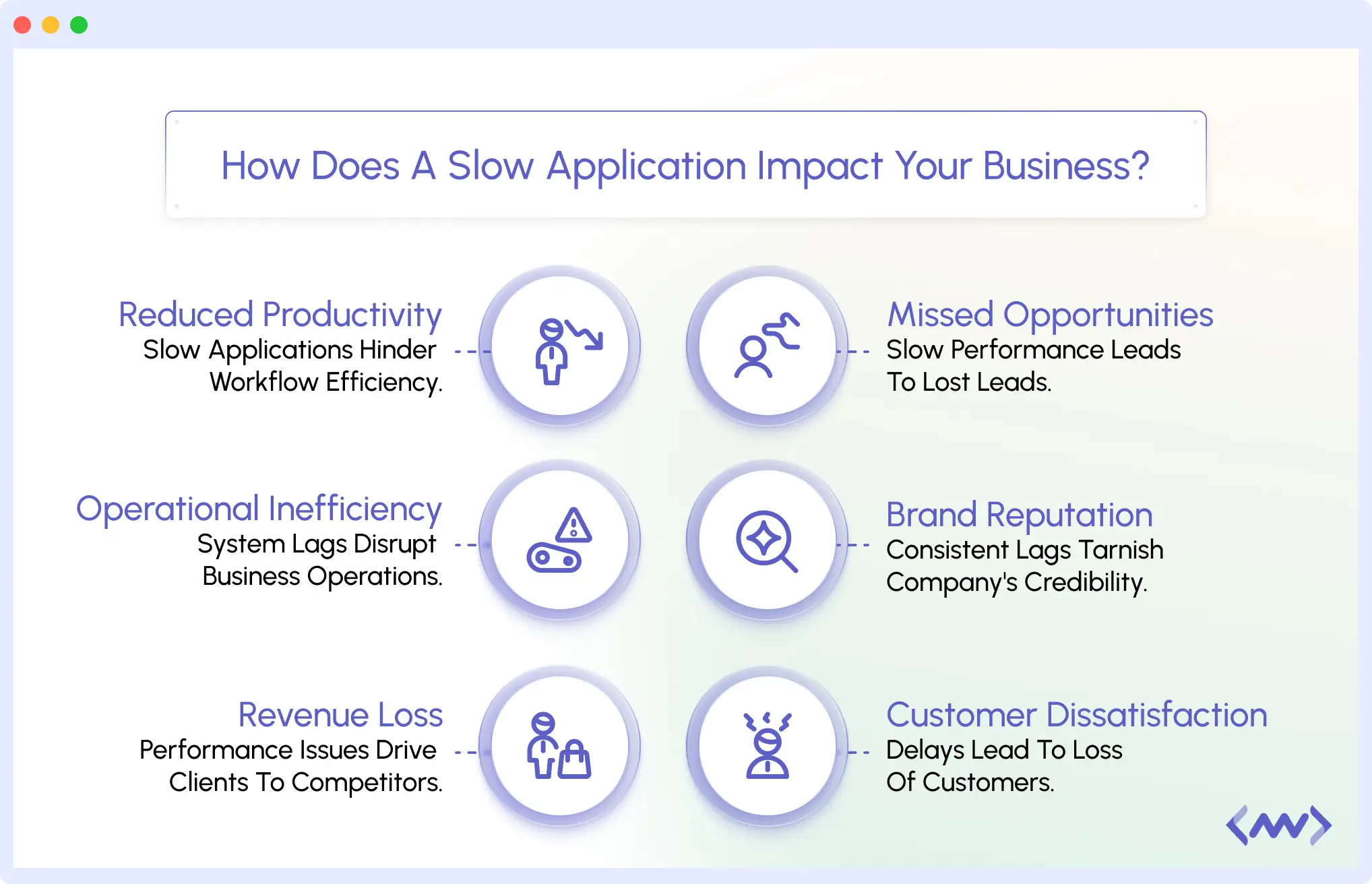
Slow APIs silently damage user experience, revenue, and SLAs. Even slight delays increase cart abandonment, reduce conversions, and trigger costly downtime. Proactive alerts for slow APIs help you detect latency issues before they impact customers, turning monitoring from reactive firefighting into prevention.
Your API performance is the foundation of your digital experience. Any slowdown instantly affects customer satisfaction, conversions, and your brand’s reliability, often leading to costly downtime and frustrated users.
What makes slow APIs especially dangerous is the domino effect they create. It’s never just one user or one request; latency spreads through your system, triggering SLA violations, penalties, and broken commitments. One sluggish API can cascade into broader system failures and even service-wide outages.
Above all, response delays erode customer trust, and once that trust is gone, it’s tough to win back. Responsive, proactive monitoring is no longer optional; it’s your strongest defense against these silent, damaging threats.
What Are Proactive Alerts for APIs?
Proactive API alerts notify engineering teams about latency spikes, timeout trends, or slowdowns in dependencies before users experience failures.
Think of proactive alerts as your API’s early warning system – they catch problems before your users ever notice them.
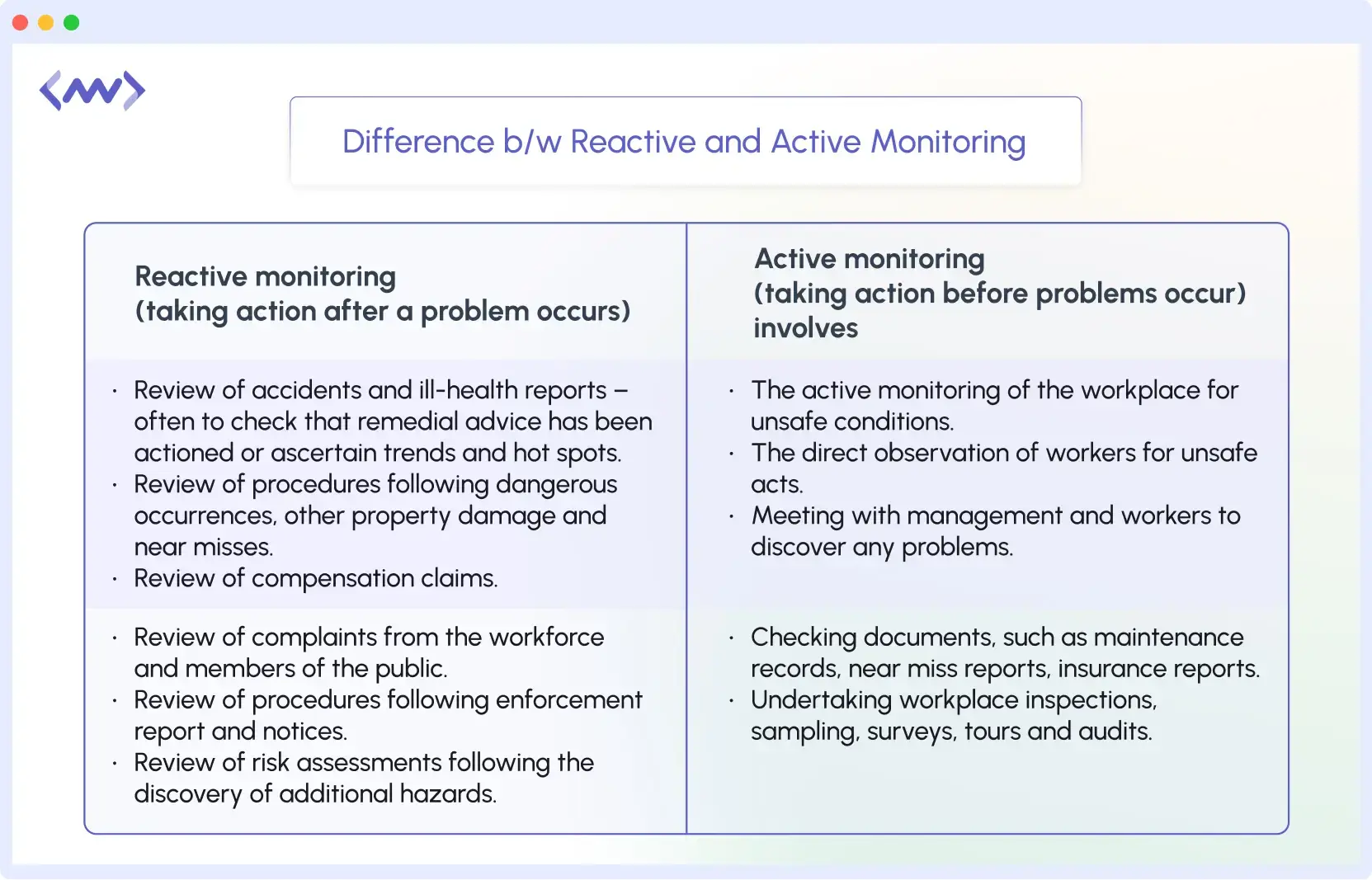
Alerts After the Fact vs. Alerts Before Impact
In a traditional approach to alerts, they operate like a smoke detector that notifies you after your house is already on fire; your users are already upset, the transaction has already failed, and you are now just taking calls to complain about it.
With proactive alerts, someone at the company has a heat sensor for high temperatures before smoke; they notice the early warning signs of an issue, so you can fix it before it affects a real user.
This is the distinction between responding to the actual moment of crisis to avoid the negative experience and preventing the crisis altogether before it ever begins.
Key Signals That Help Detect Slow APIs Early
Detecting slow APIs before they impact users is critical. Proactive alerts don’t guess; they track specific signals that reveal your API’s health. Here are the key indicators to monitor:
1. Latency Thresholds (p95, p99 Response Times)
Most API responses are fast, but slow requests can affect premium users. P95 measures the response time below which 95% of requests complete, while P99 covers 99% of requests.
Monitoring these thresholds with alert rules helps detect slow API endpoints early, before users notice any delays. Setting p95 and p99 alerts is one of the fastest ways to prevent complaints and SLA breaches.
🚀Stay ahead of slow APIs and infrastructure issues . Discover proactive infrastructure monitoring with Middleware to reduce downtime and protect user experience.
2. Error Rates and Timeout Trends
APIs rarely fail all at once. Even small increases in error rates or timeouts—say from 0.5% to 2% can indicate problems with your system, such as database inconsistencies or unstable services.
Proactive alerts track these trends over time, allowing teams to investigate and resolve issues before they escalate into outages.
3. Throughput Anomalies (Sudden Drop or Spike in Traffic)
API traffic usually follows predictable patterns. A sudden drop from 1,000 to 200 requests per minute or an unexplained spike to 5,000 signals a potential issue.
Abrupt drops may block users from accessing your API, while spikes could indicate a DDoS attack or other malicious activity. Throughput-based API latency alerts immediately notify teams when traffic behavior is abnormal.
4. External Dependencies (Database Queries, Third-Party APIs)
APIs rely on a connected ecosystem: databases, payment gateways, and third-party APIs. If any dependency slows down, your API slows down.
Proactive alerts monitor these links, helping isolate whether the issue originates in your code, the database, or external services. This ensures accurate troubleshooting instead of misattributing the problem.

Monitoring multi-service API latency is essential for quickly pinpointing and resolving slowdowns, ensuring a seamless user experience.
How Do You Set Up Proactive Alerts for Slow APIs (Step-by-Step)?
Setting up proactive alerts for slow APIs may seem complex, but it becomes straightforward when broken into clear steps. Here’s how to do it effectively:
Step 1: Identify Critical APIs and Dependencies
Start by identifying APIs with the most tremendous impact on users or revenue, such as payment gateways or login services.
Also, map external dependencies such as payment processors (Stripe, PayPal) and shipping services (ShipStation, FedEx).
Tools like Middleware automatically visualize these dependencies, showing which parts will be affected if any API slows down. This mapping enables accurate alert rules for high API response time across all services.
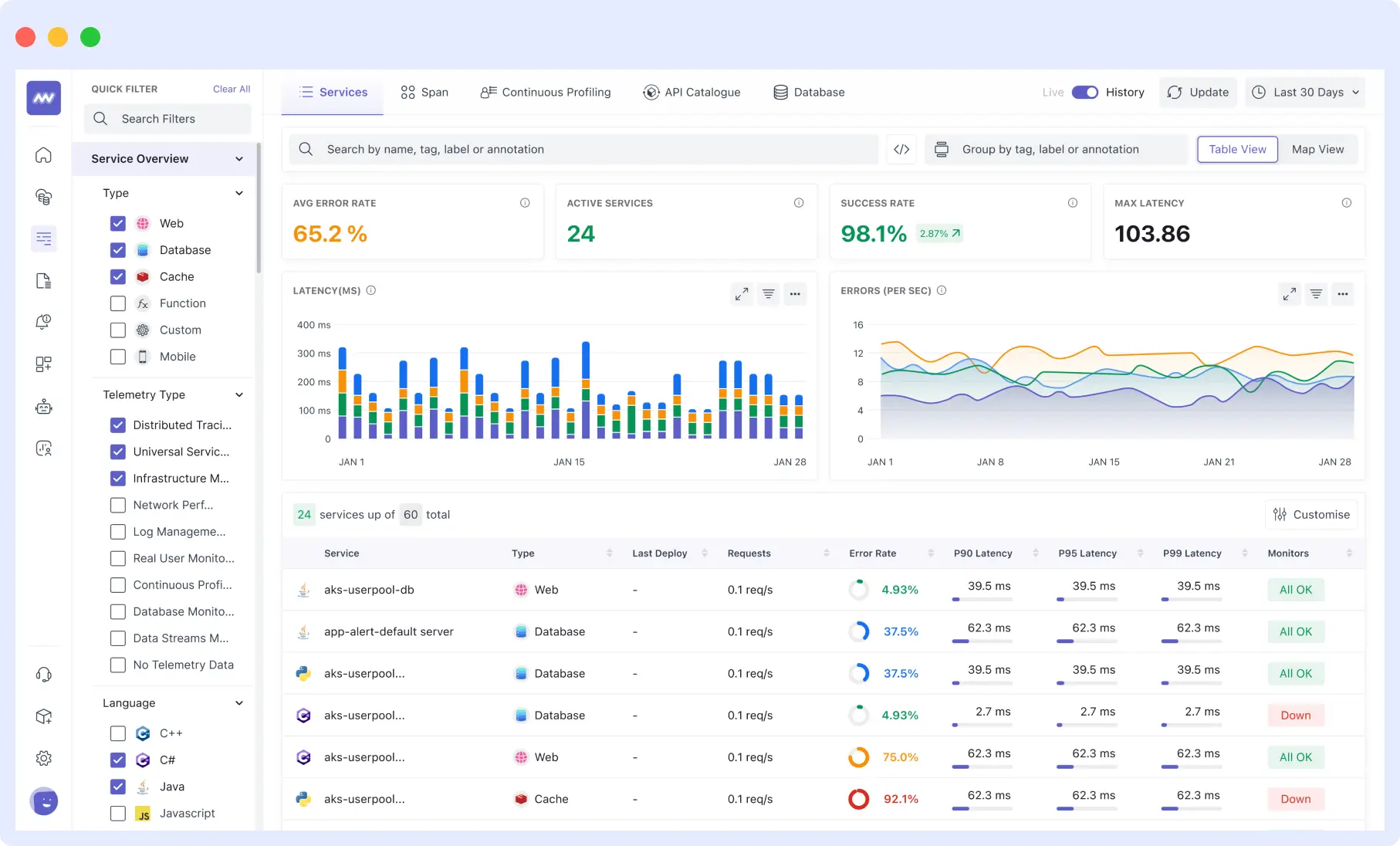
This mapping helps you configure accurate alert rules for high API response time across all services and dependencies.
Step 2: Set Baselines & SLAs
Determine what “normal” looks like for each API. For example, your checkout API should react within 200 milliseconds; however, report generation may take 2 seconds.
Middleware calculates realistic baselines from historical data, distinguishing true performance issues from normal traffic fluctuations. These baselines allow automated alarms for slow API endpoints without manual tuning.
✅Learn more about setting up alerts that help your team reduce downtime 🛠️ and prevent SLA breaches.
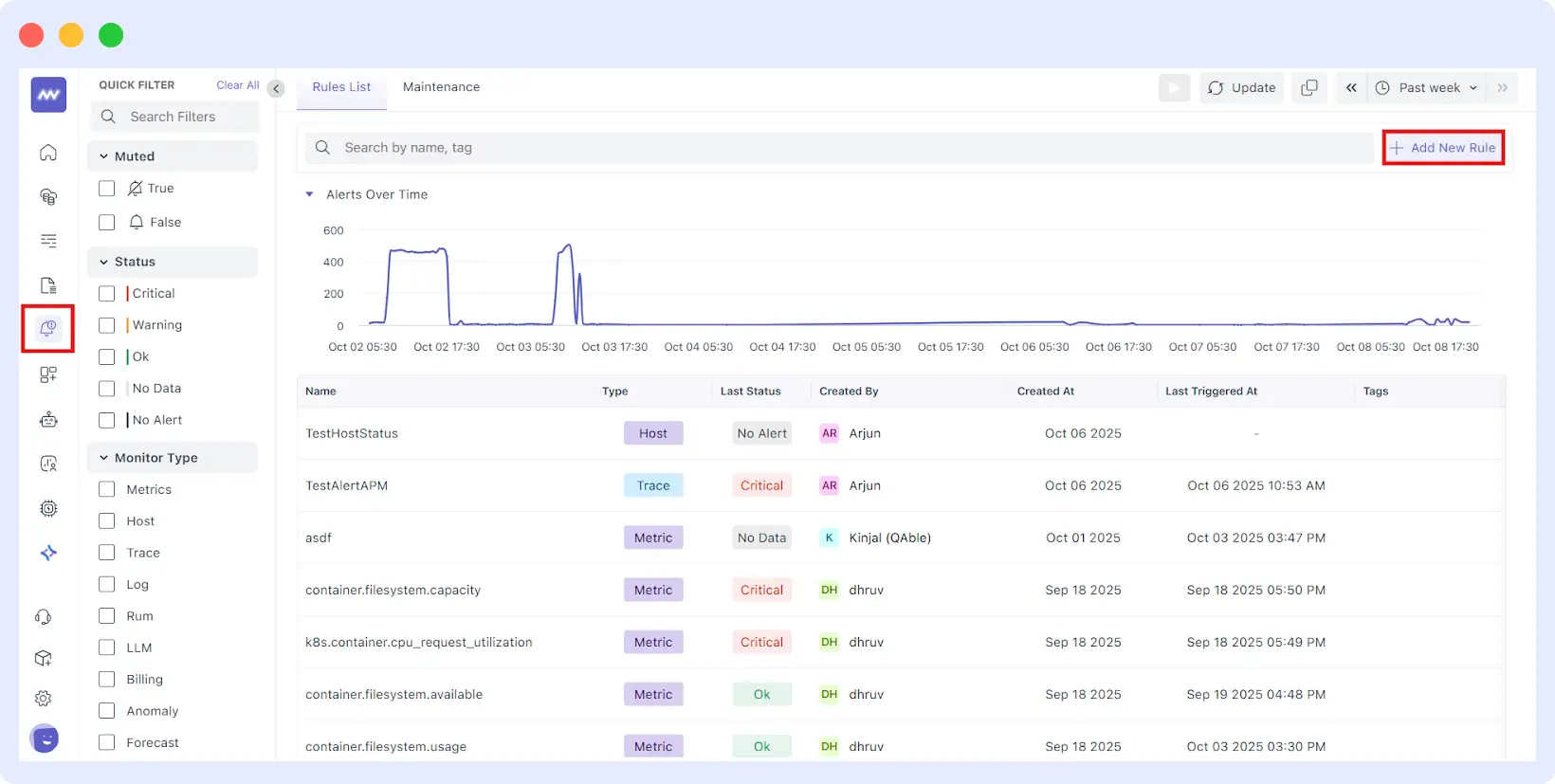
Step 3: Set Up Your Thresholds & Alert Rules
Decide what will trigger your alerts. Again, you can set a static API slowdown alert threshold (e.g., “alert if response is greater than 500ms”) or dynamic thresholds (smart thresholds that adjust themselves).

Middleware uses a reliable detection methodology to distinguish legitimate problems from minor “blips”, ensuring you are only alerted to legitimate issues, not every little “blip”. This will help to reduce unwanted false alerts that cause teams to disregard alerts.
💡Want automated API slowdown threshold configuration? Try Middleware’s Smart Alerts → Start Free Trial.
Step 4: Automate Notifications & Escalation
Get notifications to the right person at the right time. Establish automatic notifications using the technology you and your team already use to share information.
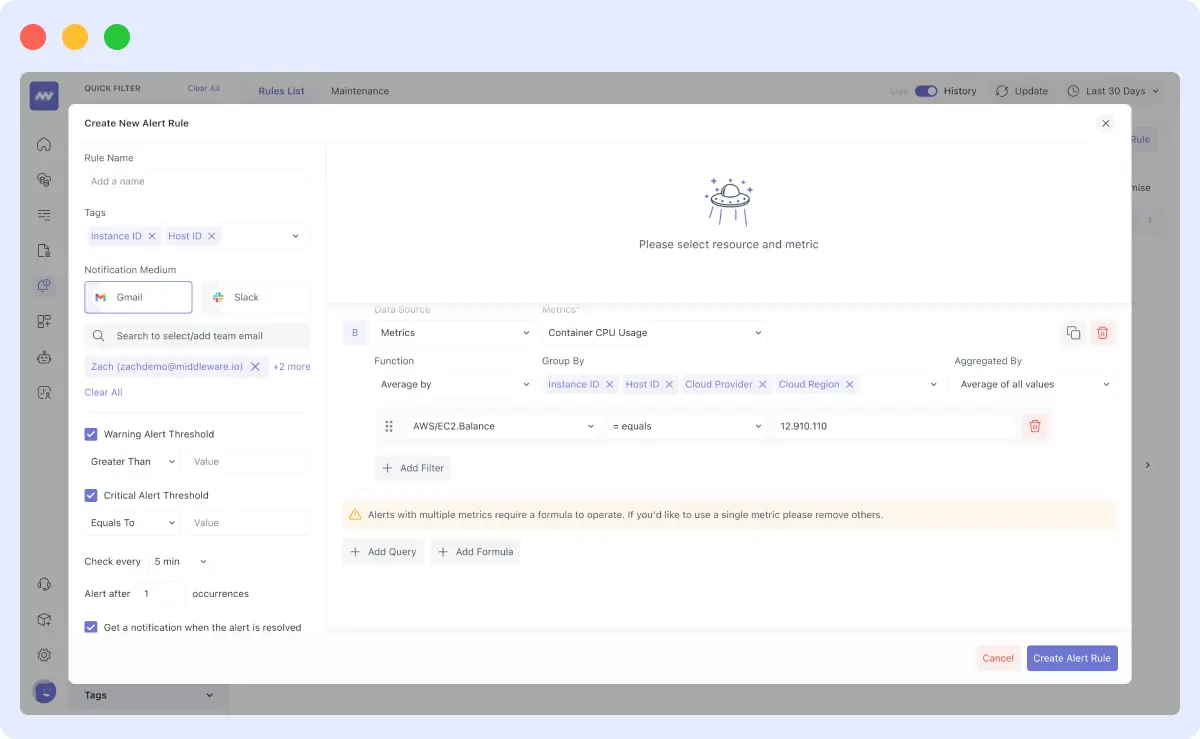
You could use Slack instant messaging for a short message, or use Pager Duty or Opsgenie to notify of an urgent issue.
Middleware can integrate with all products and automatically route notifications to the correct alert. Escalation rules can also be established (e.g., if no one responds in 5 minutes, send the notification to the backup engineer). Escalation policies ensure slow API alerts are never missed during critical user flows.
Step 5: Continuous Monitoring & Optimization
Your setup will require periodic updates. Traffic will no doubt fluctuate with seasons or campaigns; therefore, your thresholds should be reviewed regularly and updated accordingly.
Middleware can summarize logs, metrics, and traces into a single view, so when an alert comes in, you can pinpoint the slow endpoint, the database query causing the issue, or the external service timing out.
So you will quickly gain insight into what issues, and you can modify your notifications over time. Continuous monitoring helps detect slow APIs before user impact by correlating logs, metrics, and traces.
How Do Proactive Alerts Benefit Engineering & Business Teams?
Proactive alerts aren’t just a technical upgrade – they’re a game-changer for your entire organization. Let’s look at the real benefits you’ll see across your engineering and business teams.
Proactive alerts help both engineering and business teams by:
- Preventing downtime
- Isolating slow APIs instantly
- Reducing SLA breaches
Faster MTTR (Mean Time to Resolution)
When you identify problems early, you fix them faster; that’s the whole difference. Rather than hours of backtracking to piece together what happened after a significant outage, proactive alerts direct you to the issue before it escalates.
Example: A fintech app slows down transaction processing. Proactive alerts help engineers identify the root cause within minutes rather than hours, drastically reducing MTTR.
In the end, you reduce Mean Time to Resolution and work to eliminate the issue before it becomes serious.
This drastically reduces MTTR for slow API incidents.
Reduced Downtime and SLA Breaches
Nobody likes receiving complaints about downtime or penalty fees for violating Service Level Agreements (SLAs). Proactive alerts enable you to step in before it breaks – it’s your safety net.
You will begin to notice patterns developing in your ecosystem – perhaps your API is slow every Friday at three pm or stops responding at certain endpoints with specific loads.
If you can catch it before it breaks completely, you avoid total outages and can fulfill your uptime commitments. Your customers are happy, and your organization incurs no penalties. Real-time alerts for API performance issues help teams fix problems before they turn into outages.
⚡Resolve issues before customers notice. Learn how to debug live production issues 🛠️ and keep your APIs running smoothly.
Improved Customer Experience and Retention
Here’s the truth: your customers do not care about your backend issues – they want things to work. If you can identify and fix slowdowns, your users will never be frustrated.
In an e-commerce example, your checkout API starts lagging a bit during a sale. Proactive alerts catch this delay before your customers abandon their carts.
You fix it immediately, sales continue to stream in, and customers leave with a flawless shopping experience. Happy customers stick around, and that positively affects your bottom line.
🛡️Start proactive alerts for slow APIs today and protect your customer experience.
Developer Productivity: Less Firefighting, More Innovation
Your developers didn’t show up to work at the company to spend the entire day firefighting…they came to build cool features and work on interesting problems.
Proactive alerts let them be firefighters, free from panic, just aware. Instead of waking up at 2 AM to work on a down system, they work at regular hours to enhance the system when stakeholders allow them to prioritize.
Example: If a SaaS dashboard crashes, alerts capture the downtime during business hours, allowing engineers to resolve the issue preemptively and return to planned work. This increases productivity, reduces stress, and encourages innovation.
Conclusion
Proactive alerts turn API monitoring into prevention. Instead of discovering issues after customers are affected, teams detect slow APIs early, reduce downtime, and prevent SLA violations.
Without early-warning alerts, teams remain stuck in costly firefighting, dealing with downtime, frustrated users, and incidents only after damage is done. Proactive alerts surface issues before they impact users, enabling faster fixes and preserving a seamless in-session experience.
These alerts aren’t just technical API Monitoring tools; they protect your revenue and reputation and give your teams the confidence of staying ahead of failures. The best problems are the ones your users never experience.
Want to catch slow APIs before they impact users? See proactive API alerts in action: Start your free trial with Middleware today.
What causes APIs to slow down?
High latency often comes from overloaded services, slow DB queries, or delayed third-party APIs.
How do proactive API alerts work?
They monitor p95/p99 latency, error spikes, and dependency slowdowns to detect issues early.
How do proactive alerts help reduce downtime?
They notify engineering teams before users experience failures, reducing MTTR and SLA breaches.
Which metrics should I monitor?
Latency, throughput, timeouts, error rate, and dependency performance.