Service Level Objectives
(SLO Monitoring)

Improve service reliability and monitor error budgets and burn rates with actionable SLOs.

No credit card required

Trusted By Leading Companies

Service Level Objectives

Middleware SLO will help you set reliability targets for your services and monitor error budgets and burn rates in real time. Track which deployments introduced issues and get alerted before they impact users. Continuously measure service performance and monitor SLOs across all services, helping DevOps, SREs, developers, and business stakeholders improve reliability and customer experience.

  • Establish SLOsEstablish SLOs

  • Error Budgets & Burn RateError Budgets & Burn Rate

  • Issue Drill DownIssue Drill Down

  • SLO DashboardSLO Dashboard

Establish SLOs

Establish SLOs

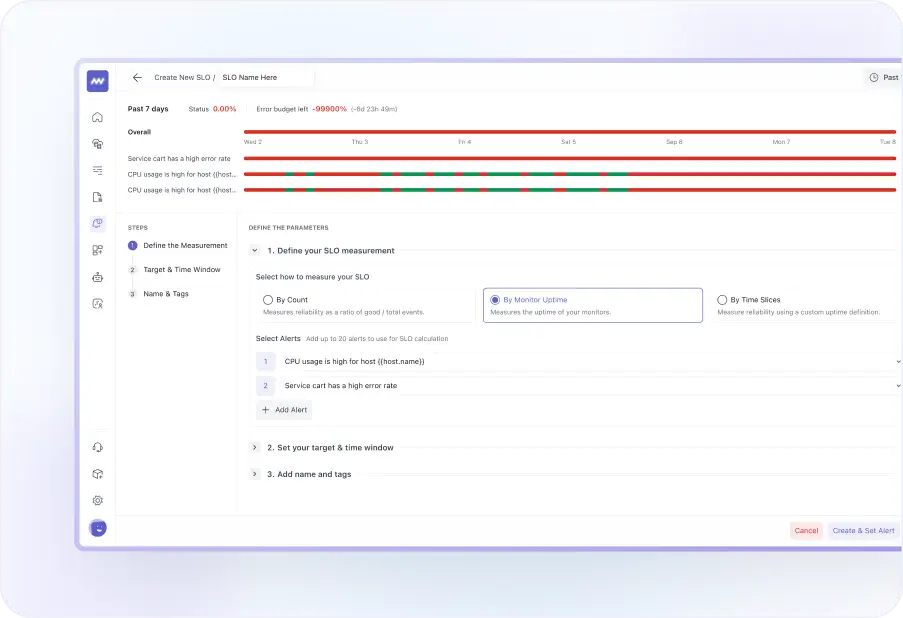
  • Define SLOs for existing alerts, observability metrics, or services with just a few clicks.
  • Track service reliability, identify blind spots and edge cases, and address issues before they impact your customers.
  • Monitor SLO status across different calendar windows to understand how service reliability changes over time.
Monitor Error Budgets and Burn Rates

Monitor Error Budgets and Burn Rates

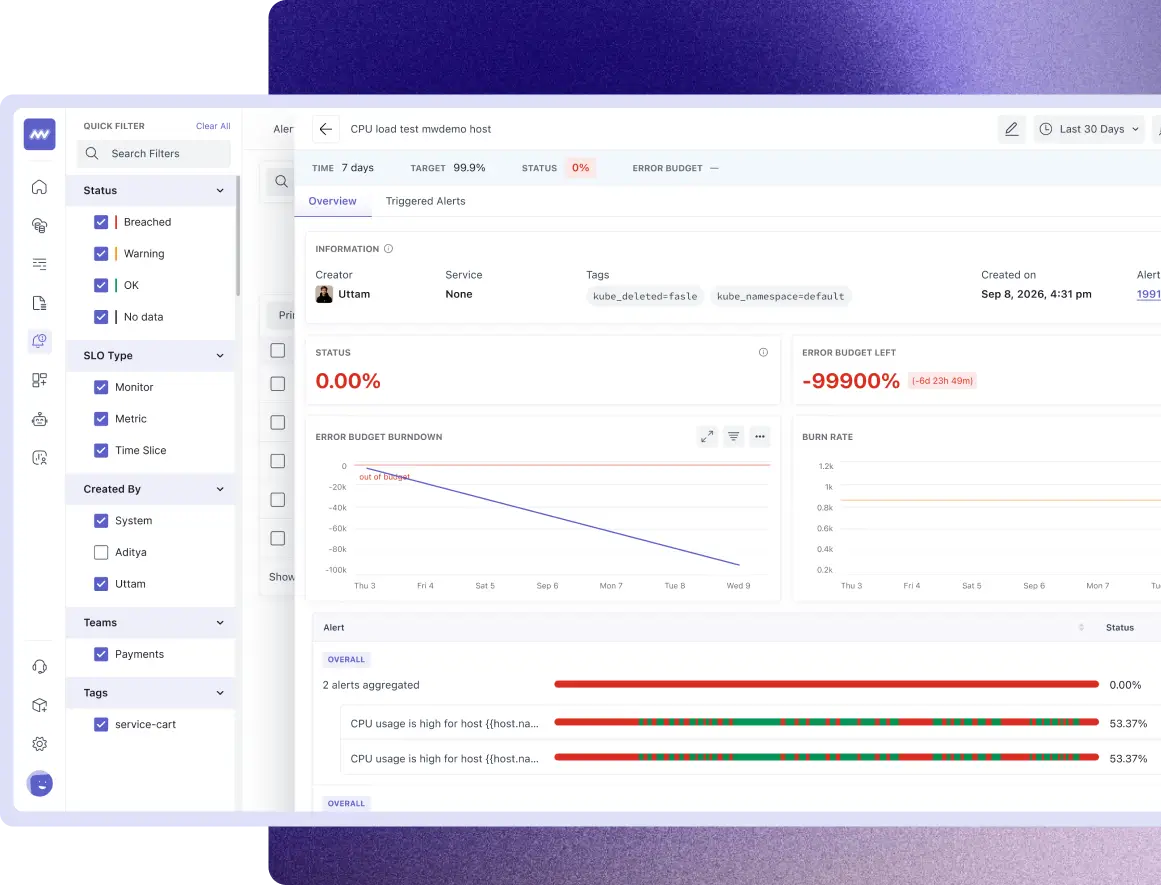
  • Monitor your error budget with a detailed view of how much failure your service can still tolerate and how much budget remains.
  • Track burn rates to understand how quickly your error budget is being consumed and take action before the SLO is breached.
  • Measure your service against the reliability commitments you have made to customers. Define an appropriate error budget and make sure your service stays within it.
Drill Down to the Issue

Drill Down to the Issue

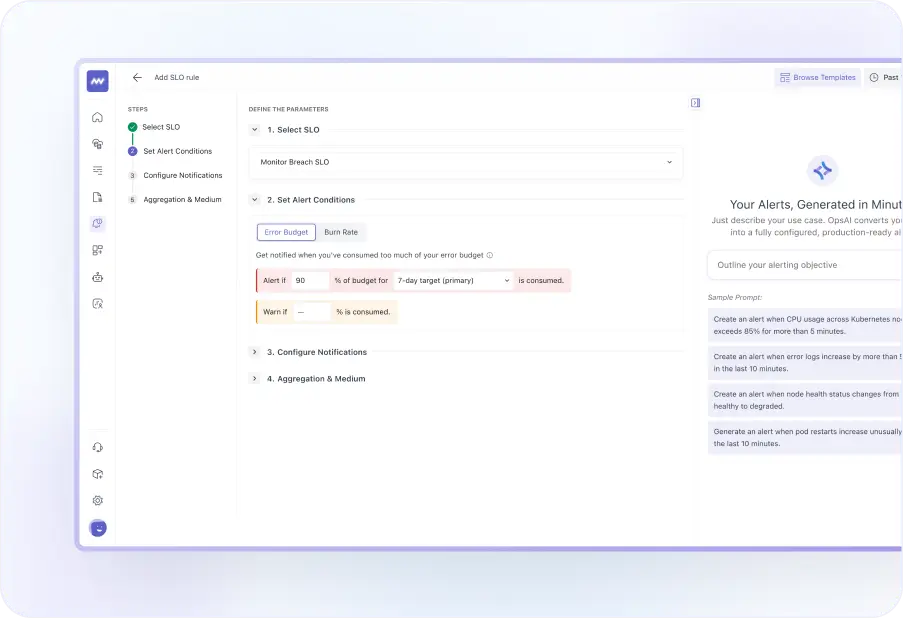
  • Set alerts on your SLOs and get notified when reliability thresholds are at risk or breached.
  • Drill down from any SLO into the underlying logs and traces so that every reliability signal can lead directly to the source of the issue.
  • Reduce alert fatigue with multi-window, multi-burn-rate alerts that help your team focus on issues with meaningful customer impact.
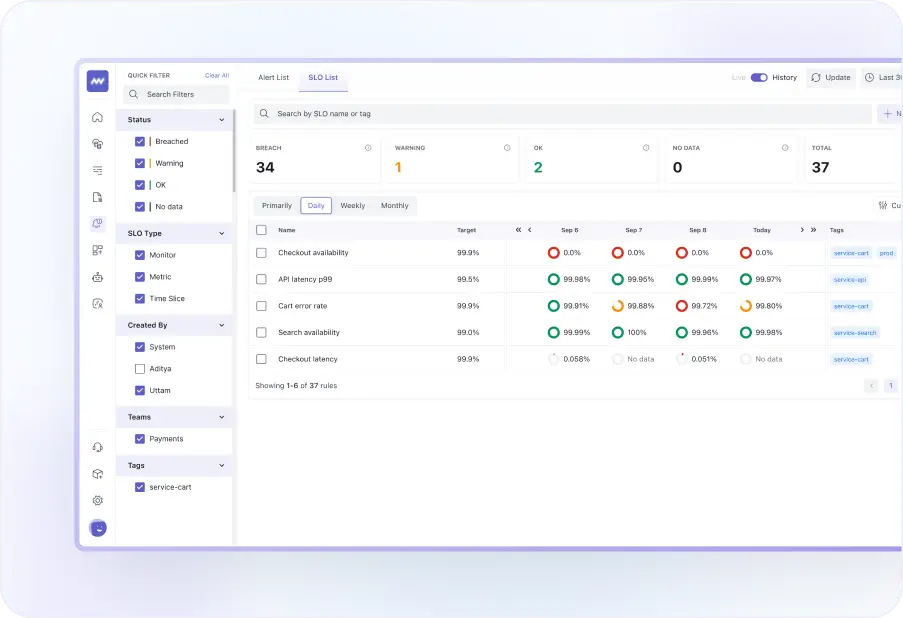
SLO Dashboard

SLO Dashboard

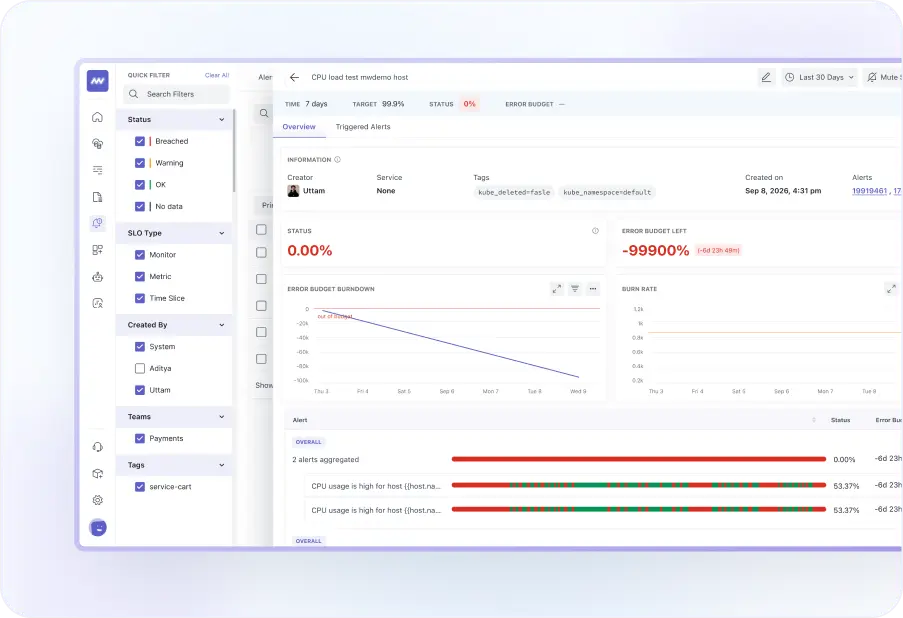
  • View SLO data for all your services in one place and share it across teams for better visibility.
  • Use the SLO dashboard to give stakeholders and executives a clear view of reliability trends and understand how service performance may affect business KPIs.


Start monitoring SLOs, error budgets, and burn rates in minutes.

Hear it from the best: Why top companies trust Middleware

Middleware has played a very good role in transforming our observability and application performance. For instance, we reduced our total observability costs by 50%.

Everything You Need to
Create SLOs

SLO Monitoring

View Docs

FAQs

Everything you want to know about the Service Level Objectives Monitoring

What is the difference between SLI and SLO?

SLO is a service level agreement that indicates a reliability goal (usually a percentage, e.g., 99% uptime), and SLI is a service level indicator that measures how the service is performing (using the ratio of good events to bad events).

What is the error budget?
Error budget is the allowed amount of failure over the time window.
What is burn rate?

How fast the error budget is being consumed relative to the available budget.

How do I know when an SLO is breached?

By setting up alerts, you get notified via email, Slack, or Teams before/on the time of an SLO breach, as configured.

What is an SLO alert?

An SLO alert notifies your team when an SLO's error budget consumption or burn rate reaches a configured threshold. Middleware supports error-budget and burn-rate alert conditions.

What time windows does Middleware support for SLOs?

Middleware supports rolling 7-day, 30-day, and 90-day SLO windows. You can also configure warning thresholds to identify when reliability is approaching the target before an SLO is breached.

What data can I use to create SLOs in Middleware?

Middleware currently supports monitor-based SLOs using existing alert rules. Supported alert sources include Metrics, Host, Logs, APM, RUM, LLM, Billing, Anomaly, Forecast, and Error Tracking alerts.

Optimize More. Worry Less. With Middleware.