Modern cloud apps rely on dozens of interconnected AWS services, including Lambda, API Gateway, SQS, and DynamoDB. When one link breaks, everything breaks.
AWS Step Functions solves this by orchestrating these services reliably. As workflows grow, visibility becomes harder to maintain. That’s where Middleware bridges the gap with unified observability.
What are AWS Step Functions?
Think of AWS Step Functions as your own project manager for cloud applications. It is a serverless workflow orchestration service that lets you coordinate a set of AWS services into a flexible and reliable workflow without writing complex coordination logic.
Instead of managing how Lambda functions, databases, and APIs communicate, Step Functions allows you to use a visual canvas that builds the workflow by combining the coordination steps in state machines, that is, in a series of stops, with each stop knowing what to do next, based on the result of the previous stop.
For example, if you are building an order processing workflow:
- Validate Order: Run a Lambda function to verify item availability.
- Charge Payment: Call a payment API.
- Reserve Inventory: Update a DynamoDB table.
- Send Confirmation: Publish a notification to SNS (Simple Notification Service).
A small fragment of how developers define these steps in the step functions JSON definition might look something like this:
{
  "Comment": "Order processing workflow",
  "StartAt": "ValidateOrder",
  "States": {
    "ValidateOrder": {
      "Type": "Task",
      "Resource": "arn:aws:lambda:region:acct-id:function:ValidateOrder",
      "Next": "ChargePayment"
    },
    "ChargePayment": {
      "Type": "Task",
      "Resource": "arn:aws:lambda:region:acct-id:function:ChargePayment",
      "Next": "ReserveInventory"
    },
    "ReserveInventory": {
      "Type": "Task",
      "Resource": "arn:aws:lambda:region:acct-id:function:ReserveInventory",
      "Next": "SendConfirmation"
    },
    "SendConfirmation": {
      "Type": "Task",
      "Resource": "arn:aws:sns:::topic/order-confirmation",
      "End": true
    }
  }
}
You provide the logic, and AWS handles all execution, retries, and error management.
Why Choose AWS Step Functions?
1. Simplified Orchestration with Less Integration Code
Step functions eliminate the need for custom glue code that connects your services. Instead of maintaining hundreds of lines of coordination logic, you start by defining the workflow in straightforward JSON and let AWS handle the rest.
This results in faster development, reduces orchestration bugs, and ensures that your workflows remain clear and maintainable as your application grows.
2. Built-in Error Handling and Automatic Retries
Instead of writing try-catch blocks and custom retry logic for every service failure, Step Functions automatically retry your failed steps, based on criteria you define. Instead of crashing a workflow, you can manage failed states.
This ultimately reduces manual debugging efforts and helps keep workflows stable and resilient. This applies even when workflows are running at scale or when dealing with unreliable external systems.
3. Visual State Tracking
Have you ever reflected on where your workflow went wrong? The visual console indicates what is running, how data flows between steps, and precisely where failures occur within the workflow.
You also have a full execution history for convenient debugging. This makes root-cause analysis much faster and gives teams deeper visibility into distributed behaviour without digging into the logs.
4. Scalability, Reliability, and Zero Server Management
AWS Step Functions scales automatically from a few workflows to millions, with no provisioning required by you. AWS also provides multiple levels of redundancy to ensure high availability for your workflows, even in the event of infrastructure failures.
As a fully managed service, it removes operational overhead so you can focus entirely on designing and optimizing your workflows.
However, as workflows expand and incorporate more AWS services, understanding inter-service dependencies, spotting slowdowns, and diagnosing failures becomes very challenging.
Native step-function AWS monitoring helps in this case, but only within the state machine itself. This is where observability platforms offering unified visibility across Step Functions, Lambdas, Queues, and APIs so teams can troubleshoot faster and understand the complete behaviour of their distributed systems.
When Step Functions Might Not Be Your Best Choice?
Execution Limits and Size Constraints
Each workflow has a maximum duration of 1 year and retains 90 days of execution history. Data passed between states is limited to 256 KB; large files should be saved to S3 and a reference passed instead.
Workflows executed at high frequency (millions of transitions per second) may exceed service quotas associated with some services.
AWS Lock-in and Learning Curve
Step Functions binds you to the AWS ecosystem, and if you decide to change cloud vendors, you’ll have to redo everything. Amazon States Language (ASL) used in step functions is specific to AWS and has a clear learning curve.
If you’re building simple workflows with it, that investment may feel too high to transcribe simple Lambda functions.
Monitoring Complexity at Scale
Individual execution visibility is excellent, but recognizing the existence of dozens of interconnected jobs complicates matters. Teams usually rely on CloudWatch, which often struggles because logs, metrics, and traces are scattered across multiple services.
Identifying step-function failures with the correct Lambda log stream or API latency requires a custom dashboard, filters, and alerts. And all of this needs to be manually set up and maintained.
Middleware addresses this by providing a single console for Step Functions and all connected AWS services. It can correlate metrics, logs, and traces across Lambdas, APIs, queues, and databases, giving teams end-to-end visibility without manual setup.
This way, troubleshooting is faster, bottlenecks are identified instantly, and the operational burden of stitching together CloudWatch insights goes away.
✅Learn how to use CloudWatch metrics the smart way and avoid the most common monitoring pitfalls.
Cost Considerations for High-Volume
Use the pricing model for each state transition and not for the overall workflow. The cost of a 10-step workflow will be 10 times the cost of a one-step workflow each time it is executed.
For extremely high-throughput use cases of millions of executions per day, the costs add up quickly. In some situations, a Lambda or SQS could be cheaper; make sure to always calculate for your specific scenario.
Deploy your first Step Functions workflow and monitor it end-to-end with Middleware in under 5 minutes. Start Free →
Architecture & How AWS Step Functions Works
Let’s pull back the curtain and see how AWS Step Functions actually orchestrates your cloud applications behind the scenes.
The Workflow and State Machine Model
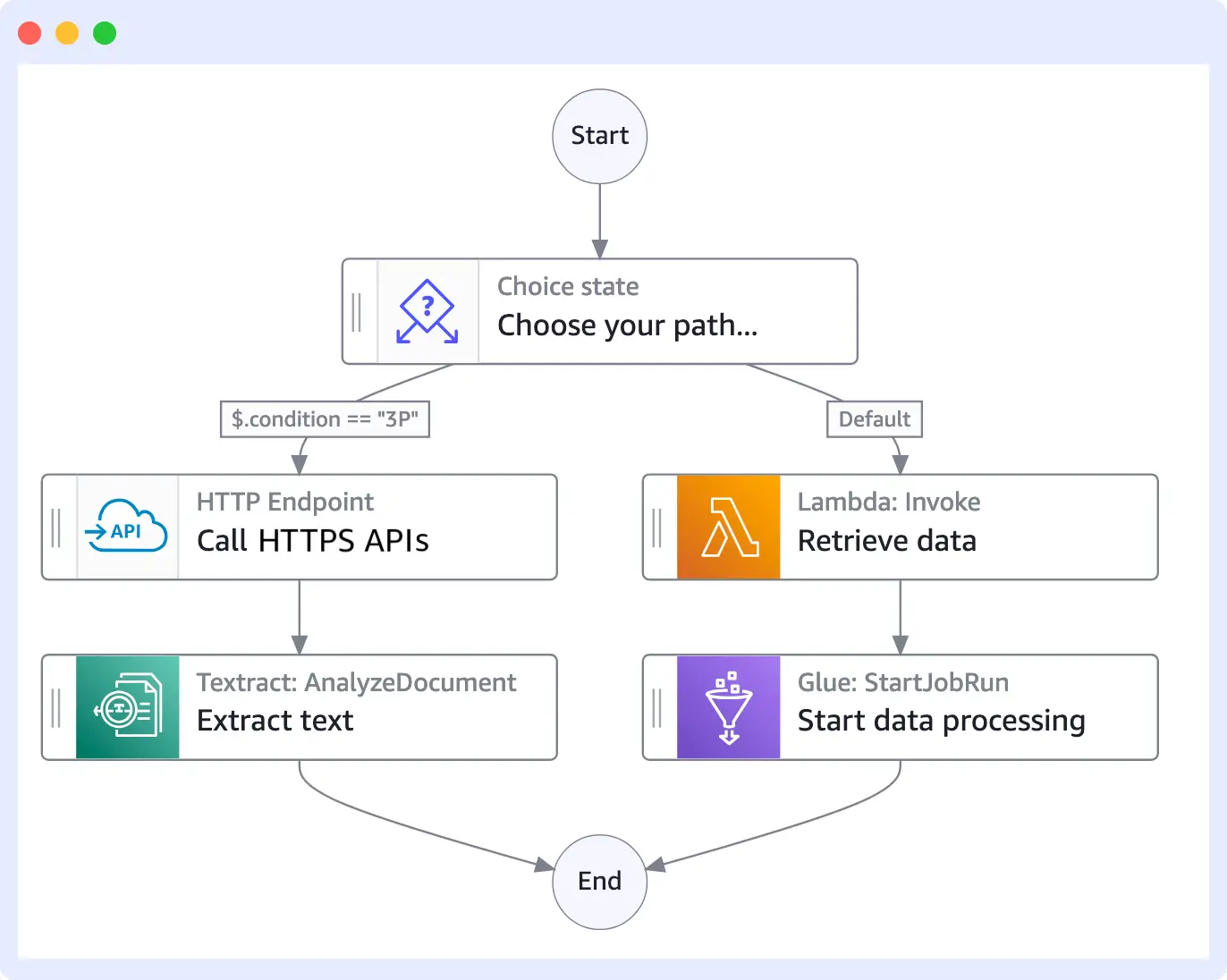
States, transitions, execution, and state history: At its core, AWS Step Functions operates on the state machine model, visualized as a flowchart that executes.
Each box in your flowchart is a “state” (for example, calling a lambda or making a choice), and the arrows between boxes are “transitions” that advance your workflow.
When you start a workflow, Step Functions will create an execution that records each state transition, stores any input or output data at each step, and maintains a complete history of every state. This is your audit trail, which shows precisely what happened during workflow execution.
Amazon States Language (ASL) and Workflow Studio: You specify your AWS workflow orchestration in Amazon States Language, a JSON-based specification that describes your states and how they connect.
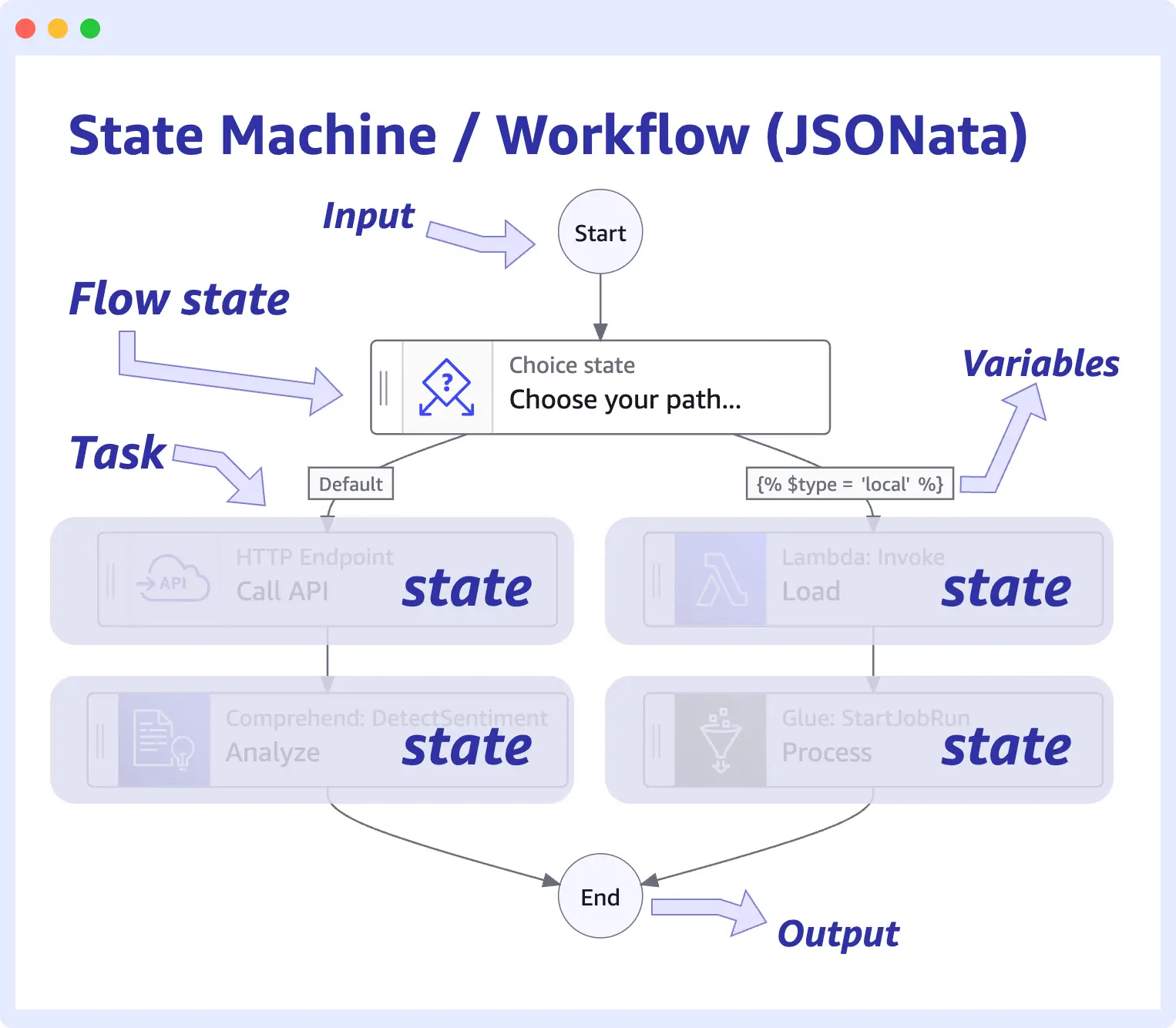
Don’t worry, you rarely write ASL by hand anymore. AWS provides Workflow Studio, a drag-and-drop visual designer where you place each state on the canvas, connect them with arrows, and fill in the simplest forms to configure each step.
AWS generates the ASL code for you, so creating a workflow is as simple as drawing a diagram.
Types of Workflows: Choosing Your Mode
Standard workflows: If your Step Functions use cases require reliability and durability, Standard workflows are the clear choice. They can run for up to a year, will execute exactly once, and have an execution history for 90 days.
They are well-suited for complex business processes such as order fulfillment, ETL pipelines, and workflows that require a complete audit trail and guaranteed execution.
Standard workflows favor correctness over speed, and every state transition is recorded and can be viewed.
Express workflows: For high-throughput, short-lived tasks, Express workflows excel when speed and volume matter more than detailed history. These support high-throughput Step Functions use cases, e.g., scenarios with thousands of IoT events per second or real-time data transformations.
Express workflows are completed in five minutes or less, are executed at least once (i.e., not all executions are duplicates), and do not maintain an extensive execution history.
Express Workflows are substantially cheaper per execution and best-suited to scenarios where you want ridiculous speed with AWS workflow orchestration at scale.
How AWS Step Functions Pricing Works?
Before you dive into building workflows, let’s talk money because understanding Step Functions pricing helps you design cost-effective solutions from day one.
AWS Step Functions is billed based on state transitions rather than workflow executions. Each time your workflow moves from one state to another, it is incurred as a billable transition.
- Standard Workflows: $0.025 per 1,000 state transitions
- Express Workflows: Priced on execution time and memory (approximately $1.00 per million requests, plus duration).
So, if you had a simple Standard three-step workflow, it would cost 3 times as much (billable transitions) per workflow execution as a simple one-step workflow. Thus, the state design is critical to determining your financial cost.
Smart Cost Optimization Strategies
In Step Functions, the golden rule is simple: fewer state transitions = less cost. Don’t break every minor operation you have into its own separate state; bundle your related logic together, and, for example, make calls to multiple Lambdas in one function if it makes sense to do so.
Be careful when using parallel states; they can create multiple transitions simultaneously.
Evaluate whether you need the full history retention for Standard workflows, or whether the reduced cost of an Express workflow better fits your Step Functions use cases.
In some situations, consolidating up to five small steps into two larger steps can reduce AWS workflow orchestration costs without sacrificing functionality.
Finally, remember that observability contributes to the overall AWS bill, including CloudWatch Logs, metrics, and custom dashboards, which can add up quickly and scale quickly.
Stop paying for every metric, log, and trace.
Start correlating Step Functions, Lambdas, and APIs instantly.👉 Try Middleware unified AWS observability
Middleware helps reduce this overhead by consolidating monitoring into a single platform without per-metric charges, making the overall observability process a little cost-effective.
💡 Curious about the cost? Explore transparent Middleware pricing before you get started.
Real-World Step Functions Use Cases
AWS Step Functions excels when multiple AWS services work together reliably. For example, workflows that depend on previous outputs, require retries, or must continue running even if a single component fails.
Microservice Orchestration and Application Workflows
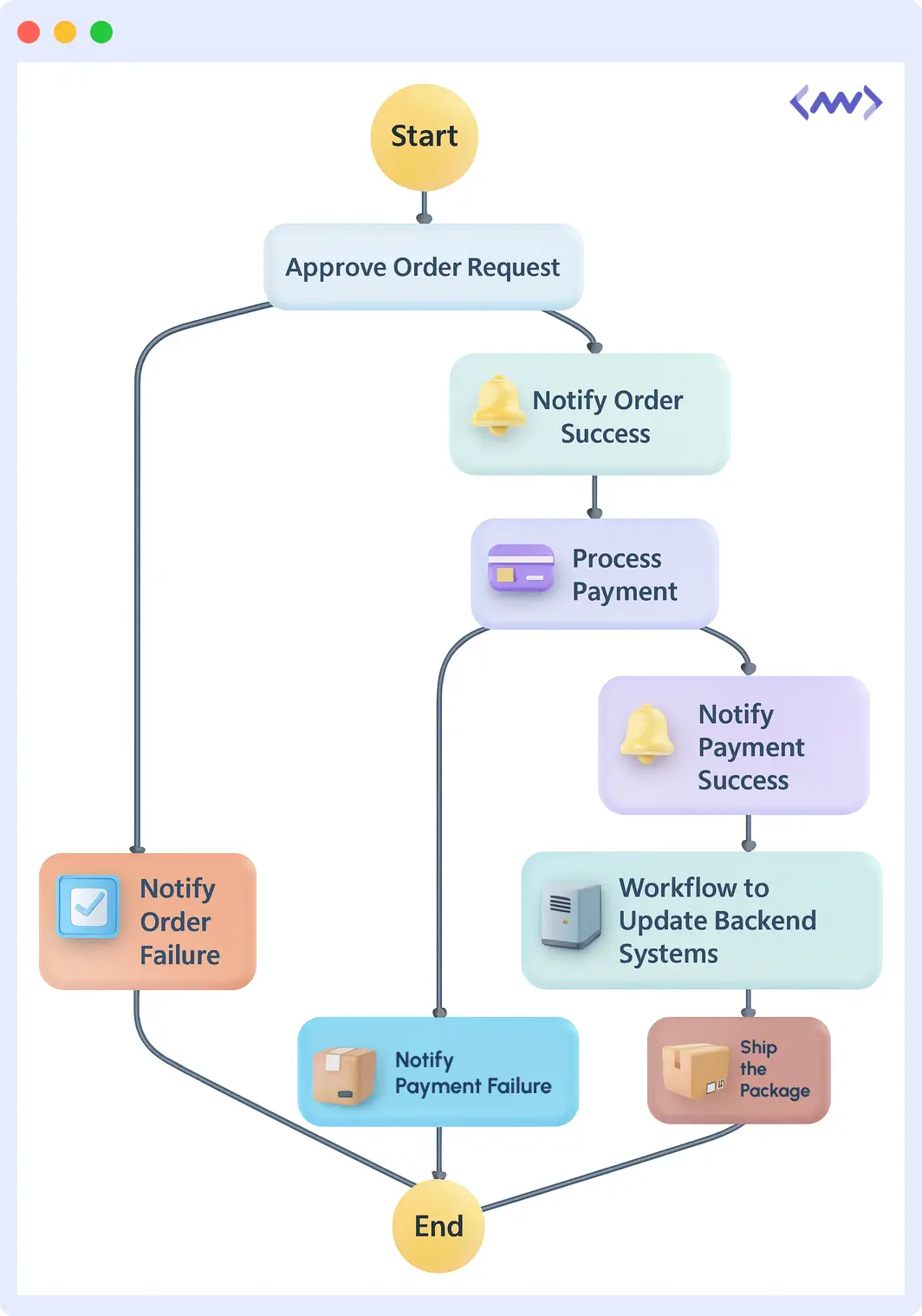
Imagine you are designing an e-commerce checkout workflow: validate payment, update inventory, send a confirmation email, and trigger shipping.
With AWS Step Functions, you integrated Lambda functions for payment processing, API Gateway calls to the various inventory systems, and ECS containers for complex business logic, all with flow capabilities.
Assume that payment processing fails; the workflow retries the step. If inventory is exhausted, the workflow takes a new path. The result is no more spaghetti code attempting to manage service dependencies.
Data Processing and ETL Pipelines
Need to process thousands of files uploaded to S3? Step Functions allows you to fan out processing by orchestrating multiple Lambda functions in parallel. You can handle each file independently from the others, and then fan in to collect the results.
Your ETL pipeline can extract data, transform it through multiple processes, and load it into Redshift, with built-in retries for failures. Step Functions is AWS’s workflow orchestration service that automatically scales your functions, whether you’re processing 10 files or 10,000.
Machine Learning and MLOps Pipelines
ML models are trained in several steps: prepare data, train the model, evaluate performance, deploy if it meets specific metrics, and schedule retraining.
Step Functions orchestrates your entire MLOps workflow, calling SageMaker for training, invoking Lambda for evaluation logic, and triggering a model deployment only when a specified accuracy threshold is met.
After a period of time, if your model begins to drift, your workflow can automatically trigger retraining, with no human intervention required.
IT Automation and Security Operations
Security incident detected? Step Functions can handle your entire response: isolate affected resources, trigger forensic snapshots, notify the security team, initiate remediation scripts, and generate compliance reports.
For routine operations, you can automate the server patching workflow: check for updates, create backups, apply patches during maintenance windows, verify that the patch worked, and roll back if it didn’t.
These Step Functions use cases change ad hoc firefighting into automated responses.
Human Approval and Long-Running Business Processes
Specific workflows require human discernment. Step Functions supports “human in the loop” workflows with callback patterns and task tokens. For example, in a loan approval workflow, document and credit score verification could be automated until it asks a loan officer to pause for a decision.
The workflow would pause (potentially for days) while waiting for someone to approve/reject a decision via an external system, and would then resume processing. This is great for expense approvals, content moderation, or anything that requires automation with a human-in-the-loop element.
Across these workflows, mainly microservices orchestration, ETL pipelines, and MLOps automation, monitoring each step is quite crucial. A delay in a Lambda service, a failure in an ETL branch, or a slowdown in training steps can lead to broader system issues.
For such multi-service workflows, Middleware can visualize dependencies and performance across Lambda, ECS, API Gateway, and Step Functions. This can reduce the time spent on debugging production issues and provide teams with a unified view of their distributed applications.
🟢Observability gaps slowing you down? Middleware gives unified logs, metrics, and distributed traces for Step Functions. Check Now
What are the Challenges of Step Functions?
Since no technology is flawless, you should be aware of AWS Step Functions’ limitations before committing your architecture to it.
Service Quotas and Data Limits
Step Functions limits data between stages to 256 KB; therefore, consider storing large payloads in S3 and sending only the reference. The basic processes have a maximum execution limit of one year and retain history for up to 90 days.
Although this restriction is acceptable for most Step Functions use cases, it may be restrictive for workloads that involve extensive data processing.
Latency and Throughput Realities
Each state transition incurs an added latency of 50-100 milliseconds. Deciding how to structure the state of multiple sequential states will quickly add overhead.
If you need a workflow that completes in under a second with high throughput, AWS Step Functions may add more latency than direct service calls.
The AWS Ecosystem Lock-in
Step Functions will lock you into AWS. The Amazon States Language and the integrations are tied to AWS. Any move to another cloud would require rebuilding all orchestration (all state machines).
It is worth considering this vendor lock-in when comparing Step Functions with alternatives for mission-critical workflows.
Complexity Grows with Sophistication
Simple workflows are the easy part; adding conditional logic, parallel branches, and nested workflows exponentially increases complexity. Debugging a workflow with 20+ states is not easy, regardless of visualizations.
Managing any complex AWS Step Functions still requires a solid understanding of Amazon States Language.
Observability Gaps in Production
While we have a great view of historical execution, manually correlating failures across CloudWatch logs will always require additional effort. There is no built-in distributed tracing.
For Step Functions use cases involving multiple connected workflows, complete request path observability will need extra tools.
With Middleware, you can trace workflow failures, view service dependencies, and track metrics in a single dashboard. This unified visibility enables faster troubleshooting and significantly reduces operational overhead.
Debugging production isn’t hard because the bug is complex it’s hard because the system is. The real challenge is connecting signals across logs, metrics, traces, and services fast enough to make sense before users feel the impact.
Scalability Bottlenecks at Extreme Scale
Massive, parallel fan-outs (thousands of runs concurrently) could cause an account to be throttled. In some cases, ultra-high-frequency transitions will require Express workflows and careful design.
In certain extreme-throughput Step Functions use cases, it may be more efficient to build custom solutions than to outsource to managed services.
Observability for AWS Step Functions Workflows
As you now know, production-grade step functions workflows generate execution events, state transition logs, retries, and error outputs across multiple AWS services. To operate these workflows reliably at scale, engineering teams need visibility across:
- State transition performance (latency, retries, failures, input/output sizes)
- Cross-service call behaviour (Lambda durations, ECS task latency, API Gateway status code)
- Parallel branch execution patterns (fan-out concurrency, bottlenecks, stalled branches)
- Correlation between workflow failures and upstream/downstream services
- End-to-end request timelines for all AWS components involved in a single execution
Middleware automatically instruments all services involved in the step functions workflows and clusters them into unified execution traces.
This allows engineers to see end-to-end request flows, track state transition metrics, visualize retries, and identify latency spikes without manually correlating CloudWatch logs.
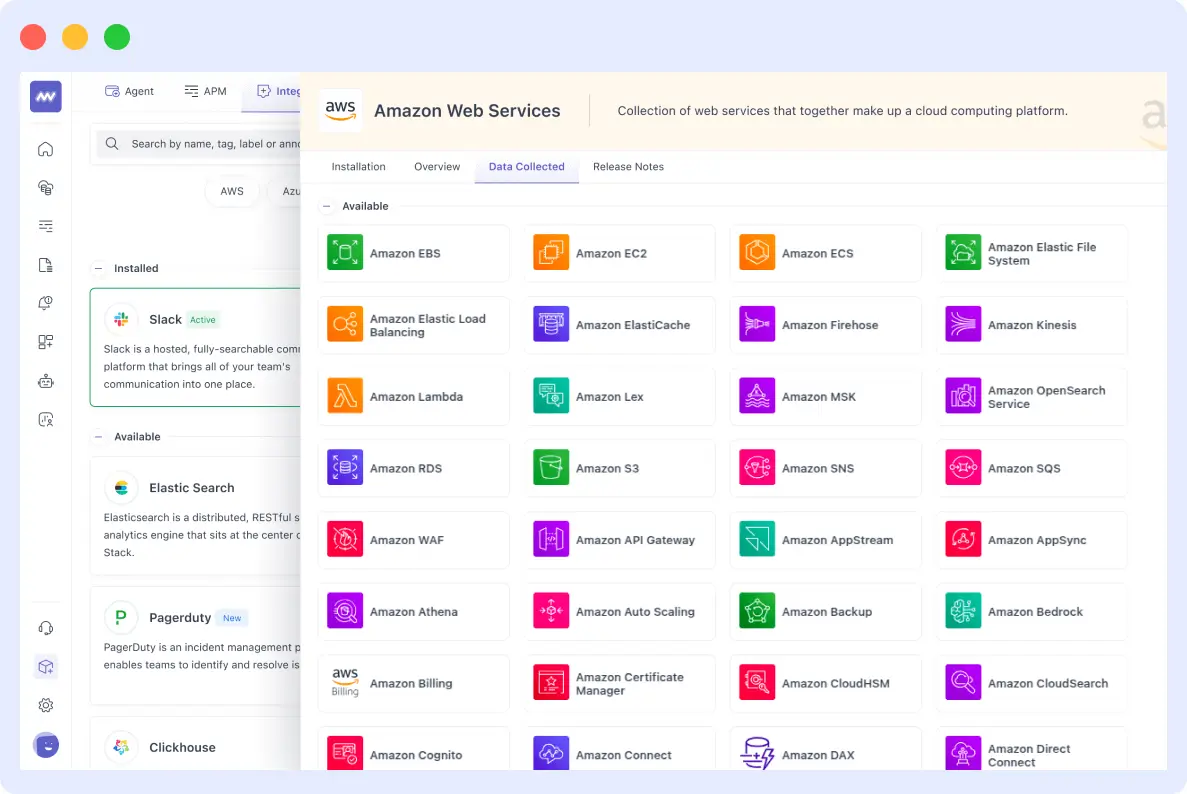
It also provides cross-service error correlation and insights into parallel execution for ETL, MLOps, and microservices workloads. Failures in downstream services are linked to the triggering workflow state, enabling teams to identify the root cause quickly.
By aggregating execution times and baseline performance metrics, Middleware provides a comprehensive operational view of step functions in production and makes debugging and optimization far more reliable.
🔍Still deciding between observability tools? This detailed Middleware vs AWS CloudWatch monitoring breakdown helps you choose the platform that fits your AWS workflow needs.
Ready to go beyond orchestration?
AWS Step Functions already coordinate your workflows, but to truly understand performance, detect bottlenecks, and troubleshoot quickly, you need visibility across every AWS service involved.
Middleware gives you:
- Real-time execution monitoring
- Cross-service dependency mapping
- End-to-end traces across Lambdas, APIs, queues, and databases
- Instant correlation of errors and bottlenecks
If you’re relying only on CloudWatch, you’re missing the complete picture.